Skip to content
gt9bd Live / App
LIVE LOBBY

gt9bd — Slots, Live Tables and Cricket Betting in One Place

Titles from PlayStar, JDB and Microgaming sit alongside our cricket sportsbook, and your wallet connects straight to bKash or Upay so your first deposit takes seconds. Access is subject to local law and eligible regions in Bangladesh.

bKash Nagad Rocket
Browse games
CONTENT / 01

How the gt9bd Lobby Is Organised for Quick Access

The lobby on gt9bd is arranged so that the sections you use most often are reachable without deep navigation. At the top, your account icon and wallet balance are always visible. Below that, the main category row — slots, live casino, sportsbook, crash games — lets you switch between game types with one tap.

  • Slots Section

    The slots section groups titles by studio — PlayStar, JDB, Bigtime Gaming, Microgaming and Joker. Use the filter row to narrow by studio or open the full grid. Each card shows the game name and a thumbnail; tap to open the game info panel before you start. Prize Juices and other feature-round titles are listed here.

  • Live Casino Section

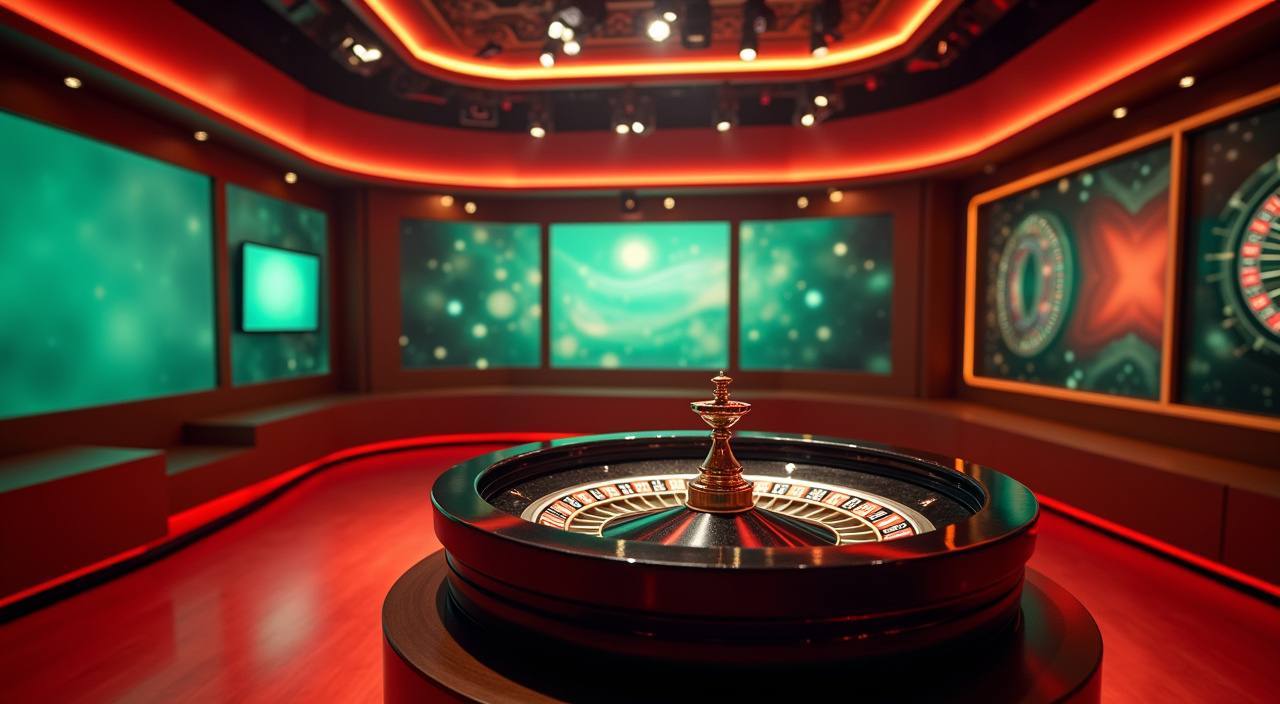
    The live casino section shows active dealer tables with a live thumbnail. Roulette Winner's Wheel and Blackjack Topplay are available here. Tap a table thumbnail to see the current bet range and table limits shown on the game panel before joining. The section updates in real time based on which tables are currently running.

  • Sportsbook Section

    The sportsbook tab opens cricket and football markets as the two primary categories. Cricket is the most followed betting category for Bangladesh account holders — IPL, BPL and international matches appear here when markets are open. The available events and their current state are shown directly in the sportsbook tab after login.

ACCOUNT CONTROLS

What Keeps Your Account Secure and Clear

Your account on gt9bd is built around controls you can reach without hunting through menus. The wallet screen shows every transaction tied to your bKash or Upay deposits, so your history is always in front of you.

  • Wallet Transparency

    Every bKash and Upay transaction is logged inside your account wallet. You can check the amount, date and status of each movement from the transaction history tab — no need to cross-reference an external app. The record stays there for as long as your account is active, so there is no guessing about what moved and when.

  • Account Verification

    The verification steps required for your account are listed on your profile page after you log in. Follow the fields shown there — document type, upload format and confirmation steps are all described in the same screen. We do not ask for information outside those listed fields. Completing verification unlocks the full range of account functions available in your eligible region.

  • Session Control

    Your session state is preserved when you switch between mobile browser and a desktop window, so you do not lose your place mid-game. The account menu sits at the top of every lobby screen.

  • Fair Account Access

    Account access on gt9bd is governed by the eligibility rules shown during registration. We do not gate account features behind unpublished conditions.

TRUST / 03

Support Channels That Work From Your Phone

When something in your account needs attention — a wallet question, a login issue, a payment that has not reflected yet — you want a straight answer, not a queue. Our support reaches you through the channels listed in the Help section of your account.

  • Live Chat Support

    The live chat option is the quickest route for account and wallet questions. Open it from the Help icon inside your lobby screen — it does not require you to log out or open a separate tab.

  • Email Account Help

    For questions that need a record — such as account verification, Upay payment matching or a dispute about a transaction amount — the email support channel is the right path. The email address for your region is listed in the Help section after login.

  • Account Help Centre

    The Help Centre inside your account covers the most common questions about wallet top-ups, account fields and lobby navigation. Before contacting support directly, check whether your question is already answered there — the articles are grouped by topic and written for the Bangladesh account flow specifically. The Help Centre is reachable from the footer of any lobby page without logging out.

Learn more →
GT9BD
Mobile casino lobby
Popular Live Slots
Blackjack Topplay Prize Juices Football Punter Hub
MOBILE LOBBY

Built for phones, clear on desktop

Cards, tables, FAQ and policy pages stay easy to read on smaller screens.

  • Quick categories
  • Mobile first
  • Access
App
CONTENT / 03

The Lobby Designed Around Your Thumb Reach

When you come back to gt9bd for a second or third session, the layout works with you rather than against you. The account icon, wallet shortcut and your recent game category are all reachable from the top row of the lobby — no scrolling required to get back to where you were.

  • One-Tap Return to Last Game

    Your most recently opened game category appears in the quick-access row at the top of the lobby after you log in. If you were in the slot section playing Prize Juices before you closed the browser, the lobby remembers that position. Re-entry from the lobby home screen requires one tap, not a full navigation sequence from scratch.

  • Wallet Always Connected

    Your bKash or Upay link does not drop between sessions. Once verified, your payment method stays attached to your account wallet so returning top-ups are handled from the wallet screen without re-entering your mobile number.

  • Portrait and Landscape Ready

    The lobby grid responds to both portrait and landscape orientation without a page reload. Game cards, table thumbnails and the navigation row all reflow to fit the screen you are holding. This matters most on crash games like Crash ShockWave and on live tables where the bet panel needs to stay visible while the game is in progress.

ACCOUNT PATH

How Your First Account Session Works on gt9bd

Getting from the home screen to your first game involves four clear steps, each with a specific screen you can follow. Step one: open the account registration page and fill in the fields shown — name, email address and mobile number. Step two: confirm your email using the link sent to your inbox; the confirmation screen tells you exactly what to expect.

  1. Create Your Account

    Open the registration page and complete the fields shown — email, mobile number and a password. The form tells you which fields are required before you submit. Your mobile number is used for wallet linking later, so use the same number attached to your bKash or Upay account.

  2. Confirm Your Email

    After registration, a confirmation link goes to the email address you entered. Open the email and click the link — the confirmation screen confirms your account is active. If the email does not arrive within a few minutes, check your spam folder before contacting support.

  3. Add Funds via bKash or Upay

    Go to the wallet section inside your account. Select bKash or Upay from the deposit options and follow the payment reference shown on screen. Once the transaction completes, your wallet balance updates and you can move to the game lobby.

  4. Choose Your Game Lobby

    With a positive wallet balance, open the slots section for PlayStar and JDB titles, head to the live casino for table games, or go to the sportsbook for cricket markets. The lobby remembers your last category for your next session.

MEMBER DESK / 06

Offers, support and account controls

01

Game lobby

02

Payment guide

03

Support

LOCAL PAYMENTS

bKash, Upay and Your Account Wallet Explained

Payments on gt9bd run through bKash and Upay — the two verified deposit methods for Bangladesh account holders. Both are linked directly to your account wallet, so the moment a deposit clears it shows as your available balance on the lobby home screen.

  • bKash Deposit

    bKash is the primary deposit method for Bangladesh account holders on gt9bd. Open the wallet section, select bKash, and the screen shows the payment reference and number to send to. The deposit registers against your account once the bKash transaction confirms. Your bKash number must match the one registered on your account for the payment to link correctly.

  • Upay Deposit

    Upay works through the same wallet flow as bKash — select it from the deposit screen, follow the payment reference shown, and the amount reflects in your wallet balance after the transaction confirms. Upay is verified for use on gt9bd accounts in supported Bangladesh regions. Check your wallet screen for the current deposit fields specific to Upay.

  • Wallet Balance and History

    Your wallet balance is shown at the top of the lobby as soon as you log in. The transaction history tab inside the wallet lists every deposit and withdrawal with its date, amount and status.

  • Withdrawal to Your Mobile Wallet

    Withdrawals go back to the bKash or Upay number attached to your account. Open the withdrawal screen in your wallet section, enter the amount and confirm using the steps shown on that page. The withdrawal screen displays the fields, verification steps and any conditions tied to your current account status at the time you make the request.

Banking
GAME SPOTLIGHT

Titles From the Lobby Worth Opening First

The gt9bd lobby carries game content from PlayStar, JDB, Microgaming, Bigtime Gaming and Joker — five studios covering slots, live dealer tables and crash-style games.

  • Prize Juices

    Prize Juices is a slot title available in the gt9bd lobby with spin feature rounds built into its mechanics. The game info panel shows RTP where the provider makes it available. It loads inside the mobile browser without a separate download and fits the portrait layout of a standard handset, making it a good starting point for your first session.

  • Crash ShockWave

    Crash ShockWave runs short rounds that suit a session of five to ten minutes between other things. The multiplier and cashout controls are positioned at the bottom of the screen — within thumb reach on a phone. Round history is visible in the game panel so you can see what the last several rounds produced before you decide your next move.

  • Roulette Winner's Wheel

    Roulette Winner's Wheel is in the live casino section of the lobby. The bet panel stays visible while the wheel is in motion, and the table history column shows recent results. It is one of the table titles available across both mobile browser and desktop sessions, so you can follow a session from phone to computer without losing context.

DISCOVER / 01

Choose your game

Full lobby
GAME NETWORK
PlayStar
JDB
Microgaming
Bigtime Gaming
Joker
CONTENT / 04

gt9bd lobby studios

The gt9bd lobby carries content from PlayStar, JDB, Microgaming, Bigtime Gaming, Joker. To check the studio, rules or features of one specific game, open that game card or the published information panel.

  • PlayStar

  • JDB

  • Microgaming

  • Bigtime Gaming

  • Joker

ACCOUNT DASHBOARD

What Your Account Dashboard Shows After Login

After you log in to gt9bd, your account dashboard is the central screen for understanding what is currently available to you. The dashboard shows your wallet balance, your linked payment method — bKash or Upay — and any account-level notifications relevant to your session.

  • Wallet Status

    Your current bKash or Upay balance and the status of your most recent transaction are shown at the top of the dashboard. If a deposit is pending, the status label explains what is happening. If the deposit has cleared, the available balance is already reflected and you can move to the game lobby without any additional step.

  • Account Offers

    Account-level offers, if active on your account, are shown inside the dashboard after login — not on a public promotional page. The current state of any offer applied to your account is visible there. We do not publish offer schedules on public pages because the availability depends on your account status and eligible region.

  • Verification Progress

    The dashboard shows whether your account verification is complete, partial or pending. Each incomplete step is labelled with the action required — document upload, email confirmation or mobile number verification. Completing all steps unlocks the full range of account functions available in your region. The required fields are listed on the verification screen linked from the dashboard.

Login
PLAYER INDEX / 07

Game Mechanics and Lobby Terms You Will See in the Lobby

The gt9bd lobby uses standard casino and betting terminology. If you are new to some of these terms, this section explains what each one means in the context of the games and sections available here — so you are not guessing when you see them on a game panel or bet slip.

Player guide and glossary
  • What does RTP mean on a slot game panel?

    RTP stands for Return to Player. It is a percentage that describes how much of the total amount wagered on a slot is returned to players over a large number of rounds, expressed as a long-run statistical average.

  • What is a bonus round in a slot game?

    A bonus round is a feature built into a slot's mechanics that activates when a specific combination of symbols appears on the reels. It is part of the game design, not a separate offer from the platform. In a bonus round, the game may change the reel layout, add multipliers or run a fixed number of feature spins.

  • What does the Megaways mechanic mean on Bigtime Gaming slots?

    Megaways is a reel mechanic developed by Bigtime Gaming that changes the number of symbols on each reel with every spin, creating a variable number of ways to form a winning combination. The number of active ways is shown on screen during each spin.

  • What is a crash game and how does Crash ShockWave work?

    A crash game is a betting format where a multiplier rises from 1x upward after each round starts. You place your bet before the round begins and choose when to cash out before the multiplier stops. If you cash out before it stops, your bet is multiplied by the value at that point.

  • What is a jackpot in the context of slot games?

    A jackpot is a game's top prize pool — the highest prize a slot title offers, usually reached through a rare combination on the reels or a dedicated jackpot trigger built into the game mechanics. It is a game mechanic, not a platform schedule.

  • What does the sportsbook tab show for cricket betting?

    The sportsbook tab on gt9bd shows available cricket markets when events are scheduled — these include international matches, BPL fixtures and IPL matches where markets are open. Each event listing shows the bet types available for that match.

  • What is a multi-match prize bet in the sportsbook?

    A multi-match prize bet, sometimes called an accumulator, is a single bet placed across multiple match outcomes at once. All selections must be correct for the bet to return a prize. The combined odds are shown on the bet slip before you confirm.

Full glossary
LOBBY / 02

One mobile lobby, distinct game areas

Blackjack Topplay Live Blackjack Topplay Access → Prize Juices Slots Prize Juices Access → Football Punter Hub Sports Football Punter Hub Access → Crash ShockWave Slots Crash ShockWave Access → Football TeamBet Sports Football TeamBet Access → Roulette Winner’s Wheel Live Roulette Winner’s Wheel Access →
EXPLORE FURTHER / 04

Explore detailed guides

Local lobby check

QUICK ANSWERS

Frequently asked questions

These are the account and lobby questions we see most often from new account holders in Bangladesh. Each answer points to the specific screen or step inside gt9bd where you can take action — rather than a general description.

Read FAQ →
How do I deposit using bKash on gt9bd?

Log in to your account and open the wallet section. Select bKash from the deposit options. The screen shows you a payment reference number and the mobile number to send to — use exactly those details in your bKash app. Once the transfer confirms on the bKash side, your wallet balance on gt9bd updates to reflect the deposit.

Can I use Upay instead of bKash for my deposits?

Yes. Upay is a verified deposit and withdrawal method on gt9bd for Bangladesh account holders in supported regions. The process is the same as bKash — open the wallet section, select Upay, and follow the payment reference shown on screen. Your Upay number must match the one registered on your account.

What happens if my deposit is not showing in my wallet?

Open the transaction history tab inside your wallet section. The status of every deposit is listed there — pending, confirmed or failed. If the status shows pending, the payment is still being matched. If it shows failed, the payment reference may not have matched correctly.

How do I get back to where I was in the lobby after closing my browser?

Your session state and last game category are stored between visits. When you log back in, the lobby opens at the home screen with your wallet balance visible and the quick-access row showing your most recent game category.

Which game studios are available in the gt9bd lobby?

The lobby carries game content from five studios: PlayStar, JDB, Microgaming, Bigtime Gaming and Joker. These studios supply slots, live dealer tables and crash-style games. To see what each studio currently has live for your account region, open the lobby after login and use the studio filter in the slots or live casino section.

Is cricket betting available and how do I find it?

Yes. The sportsbook tab in the gt9bd lobby includes cricket as the primary betting category for Bangladesh account holders. Open the sportsbook tab and select cricket to see available matches and markets — BPL fixtures, international matches and IPL events appear there when markets are open.

How do I withdraw my wallet balance back to my mobile wallet?

Open the wallet section and select the withdrawal option. Choose bKash or Upay — whichever is linked to your account — enter the amount and follow the confirmation steps shown on that screen. The withdrawal goes to the mobile number attached to your account.

What should I do if I have trouble logging in?

First, check that you are using the email address and password entered during registration. If you have forgotten your password, use the reset link on the login page — a reset email will go to your registered address. If the reset email does not arrive, check your spam folder.

READY WHEN YOU ARE

gt9bd game lobby

Access may be available only where local law permits.

Register Login